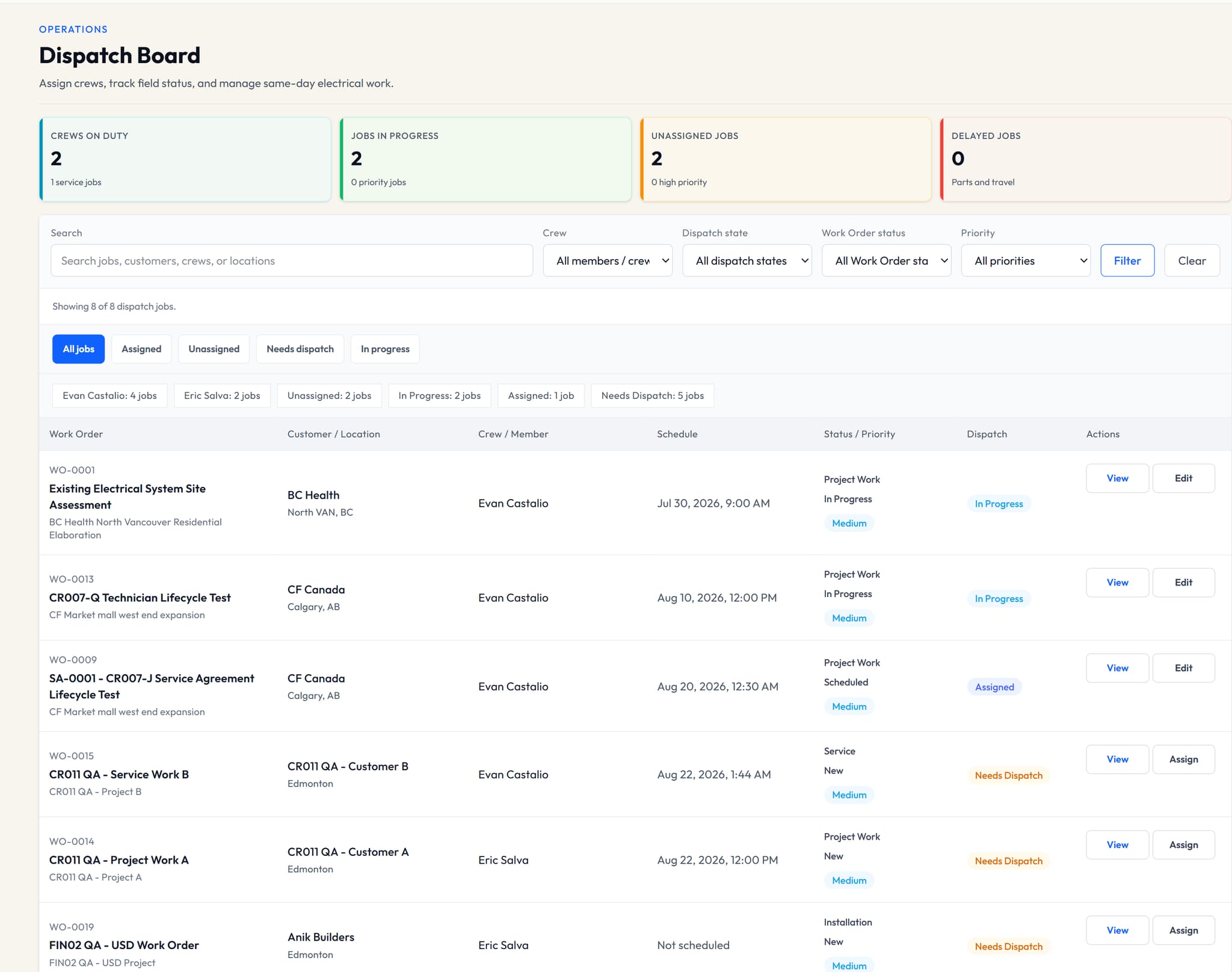
1. Create the work order in the right job
Connect the work order to the intended customer and project. Record the scope and job context the assigned team needs instead of relying on a separate message thread.
2. Set a realistic schedule
Add the planned timing to the work order so office users can review the schedule against current work. A schedule entry coordinates the plan; it is not a guarantee about travel time or completion.
3. Assign the permitted member or crew
Choose the member or crew responsible for the work and review assignment gaps from the office. Access remains role- and assignment-aware, so technicians do not receive company-wide financial administration.
4. Give the field team current context
Assigned technicians use their focused workspace to review permitted job details and update execution state. V1 does not include timesheets, field-photo workflows or field checklists.
5. Keep drawings inside the project boundary
Attach supported drawing records and revisions to the project when they are needed. Drawing access still depends on role, assignment, publication and file-security state.
6. Review status from the office
Follow dispatch and work-order state against the same record, then resolve assignment or schedule changes without creating a second source of truth. VolteraForge does not provide live GPS or automatic route optimization.
A practical example
Example: an Admin creates a work order for a tenant-improvement project, schedules it, assigns a crew, and gives the assigned technicians the current work and permitted drawing context while unrelated jobs remain outside their workspace.