Company oversight
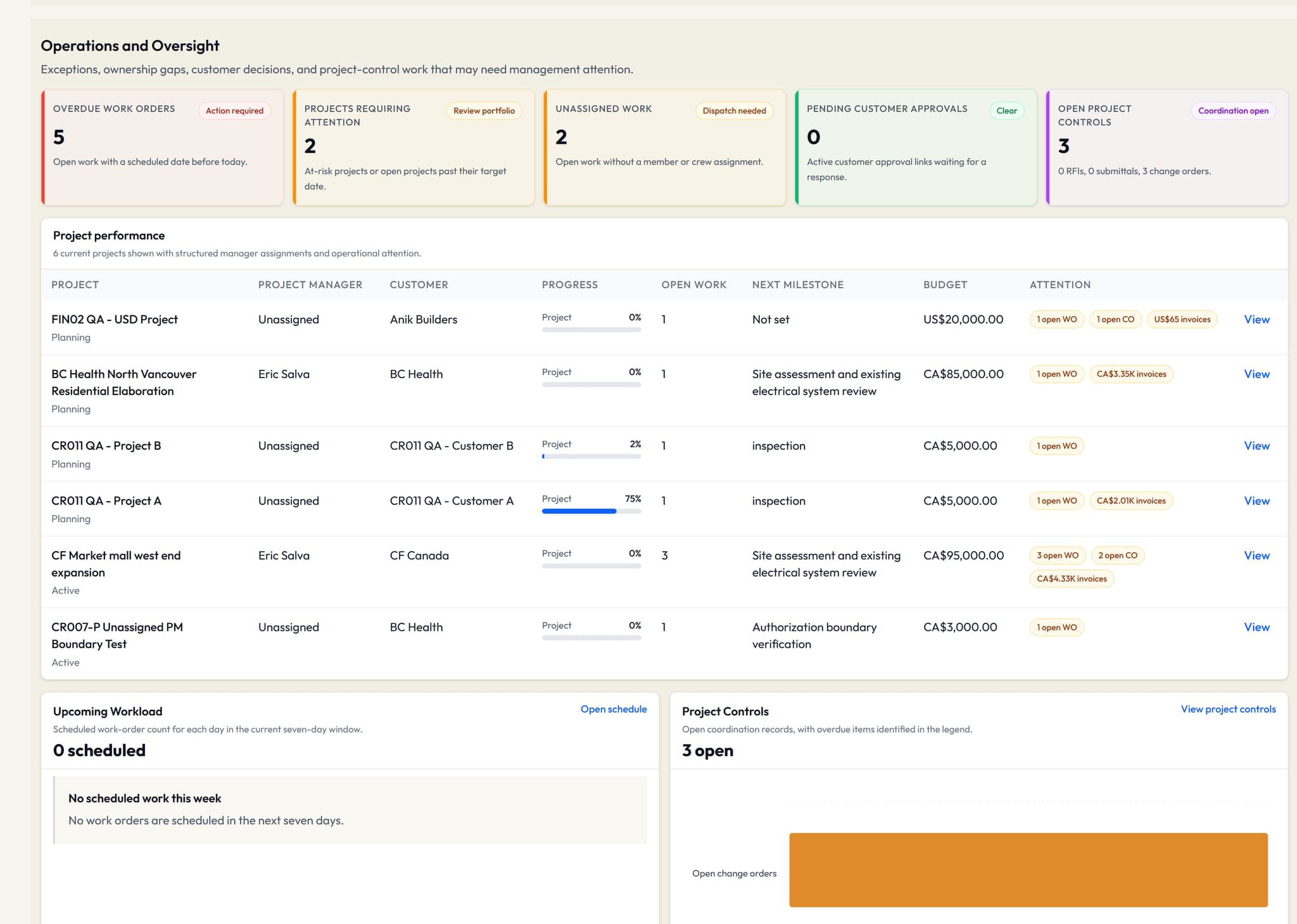
Review project attention, open work, workload and commercial summaries from current company records.
Company-wide financial visibility belongs to Owner and Admin roles.
A customer calls about a job. The office needs its history, the project manager needs the current work, and the technician needs the assignment. VolteraForge keeps those records connected so each person can find the information their role needs.
Step 1
Keep customer contacts alongside their projects and work orders. Find the job from the relationship you already know.
Step 2
Give project managers a workspace for their assigned projects, milestones and linked work.
Step 3
Use company oversight to review open work and project attention. Owners and admins retain company-wide financial visibility.
Capabilities depend on your plan, role and assignment. Review the current pricing comparison for availability.
Review project attention, open work, workload and commercial summaries from current company records.
Company-wide financial visibility belongs to Owner and Admin roles.
Keep project context, milestones and linked work together, with a focused workspace for assigned project managers.
Project managers see assigned projects, not company-wide financial management.
Maintain customer contacts and connect their projects, work orders and commercial documents.
Customer record administration is separate from customer account access.
Carry job context, assignment and execution status from office planning into field work.
Available actions depend on role, assignment and the work order's current state.
Small electrical contracting teams coordinating customer, office, project and field work. Compare the current plans for team and project limits.
Access follows role and assignment. Project managers focus on assigned projects, technicians on assigned work, and customers on records published to their separate accounts.
Automated electrical takeoff is not included in this V1 workflow. This page describes customer, project and work-order management.
Tell us how you manage jobs today and which workflow you would like to see. Ask about a demonstration or review the current plans.