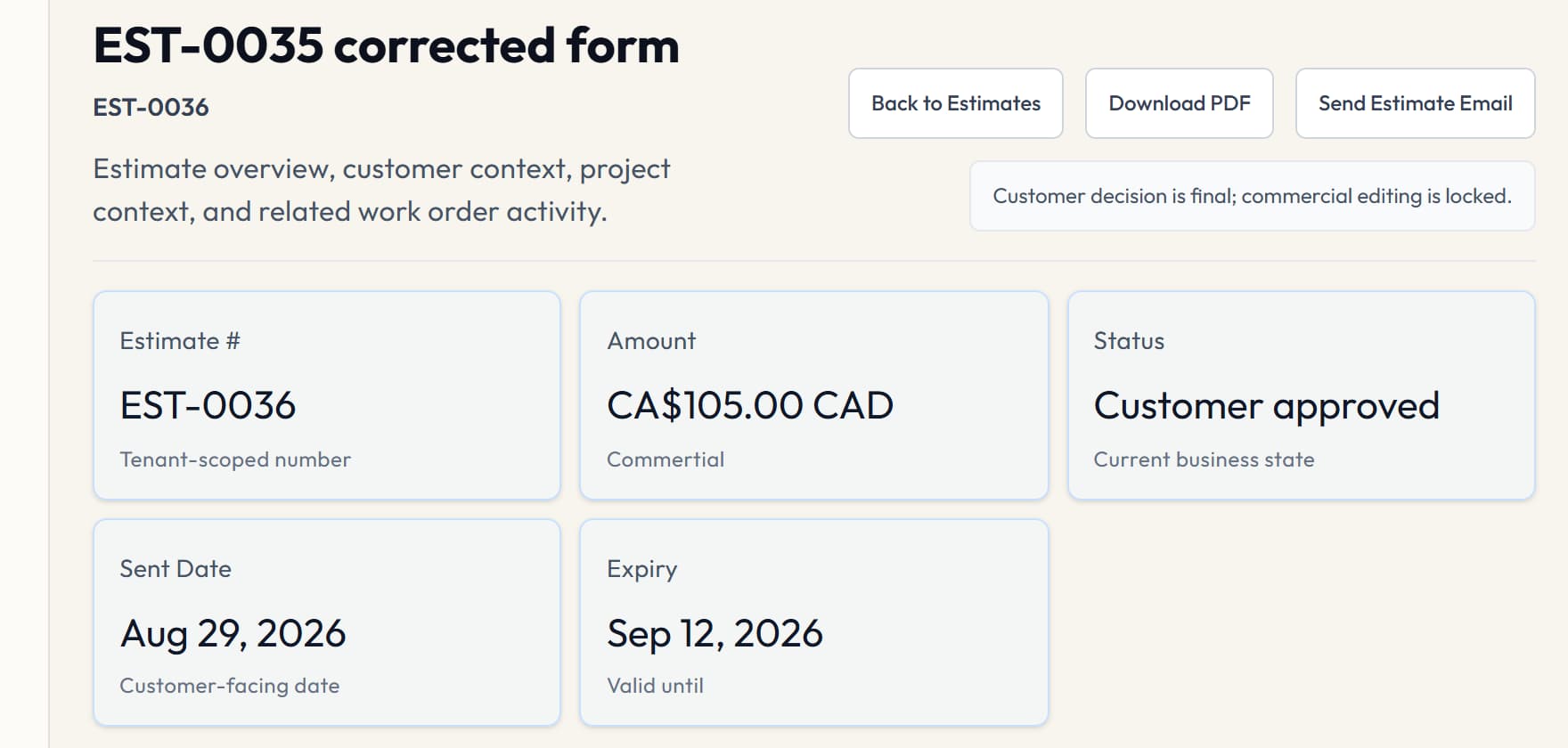
1. Confirm the customer and project context
Start from the correct customer and project before pricing the work. That context helps the office avoid a disconnected estimate and gives later work orders and invoices a clear job record.
2. Build the priced scope
Create line items, confirm document currency and tax treatment, and review the total before sharing the estimate. VolteraForge records the commercial document; it does not perform automated drawing takeoff or replace professional estimating judgment.
3. Record the customer decision
Where the selected plan includes customer approvals, share the controlled approval link and keep the decision with the estimate. Approval availability is plan-governed, and an approval record is not a claim of formal electronic-signature certification.
4. Create the next record deliberately
After approval, an Owner or Admin can carry the approved scope into linked work or an invoice when the workflow is eligible. Review the destination before creating it so the team does not produce a duplicate downstream record.
5. Schedule and assign the work
Set work timing, assign a permitted member or crew, and use dispatch state to coordinate the office and field. Dispatch does not include live GPS tracking or automatic route optimization.
6. Maintain the invoice record
Keep invoice status and any manual payment evidence with the customer and project. VolteraForge does not collect, settle or refund customer payments, and it does not replace an accounting ledger.
A practical example
Example: an Owner prepares a panel-upgrade estimate, records the customer's approval, creates one linked work order, assigns the scheduled work, and later maintains the invoice and manual payment evidence against the same customer and project.