Work orders
Carry job context, assignment and execution status from office planning into field work.
Available actions depend on role, assignment and the work order's current state.
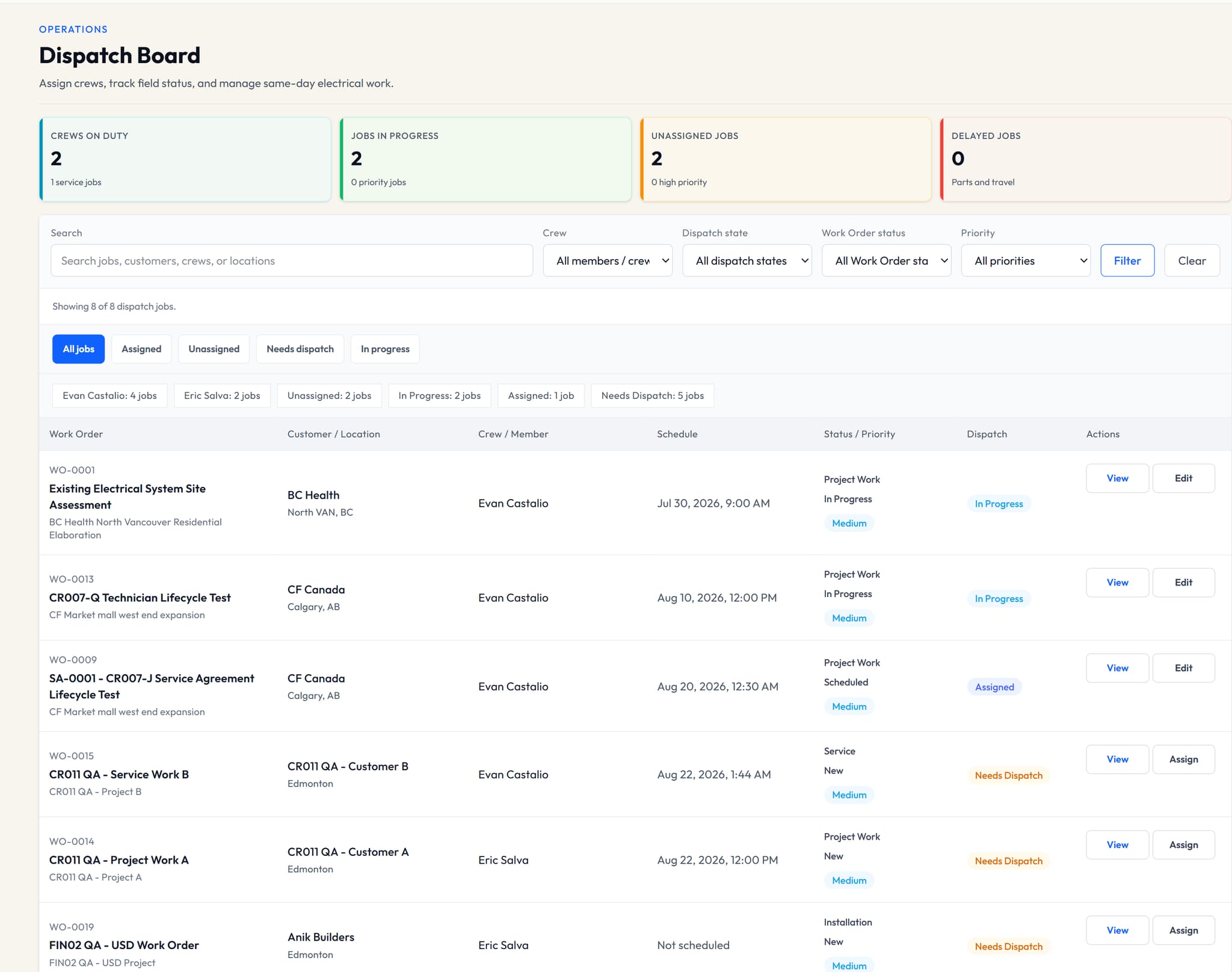
The office needs to know who is assigned and when the work is scheduled. Technicians need to know which work is theirs. VolteraForge connects scheduling and dispatch to the work order so coordination stays tied to the job.
Step 1
Plan when a work order should happen and keep the schedule tied to that record.
Step 2
Coordinate assignments and follow dispatch state from the office.
Step 3
Technicians use a focused workspace for assigned work, job context and the execution updates their role permits.
Capabilities depend on your plan, role and assignment. Review the current pricing comparison for availability.
Carry job context, assignment and execution status from office planning into field work.
Available actions depend on role, assignment and the work order's current state.
Set work timing, assign a member or crew and follow dispatch state against the same work order.
Dispatch is a management workflow, not GPS tracking or route optimization.
Give technicians their assigned work, job context and permitted execution updates in a focused workspace.
No time tracking, photo workflow or field checklist is included.
No. Dispatch supports work timing, assignments and status. It does not provide live GPS tracking or automatic route optimization.
Technicians see work within their assignment and access permissions. Company-wide financial administration remains with owners and admins.
Time tracking, field photo workflows and field checklists are not included in this V1 workflow.
Tell us how you manage jobs today and which workflow you would like to see. Ask about a demonstration or review the current plans.